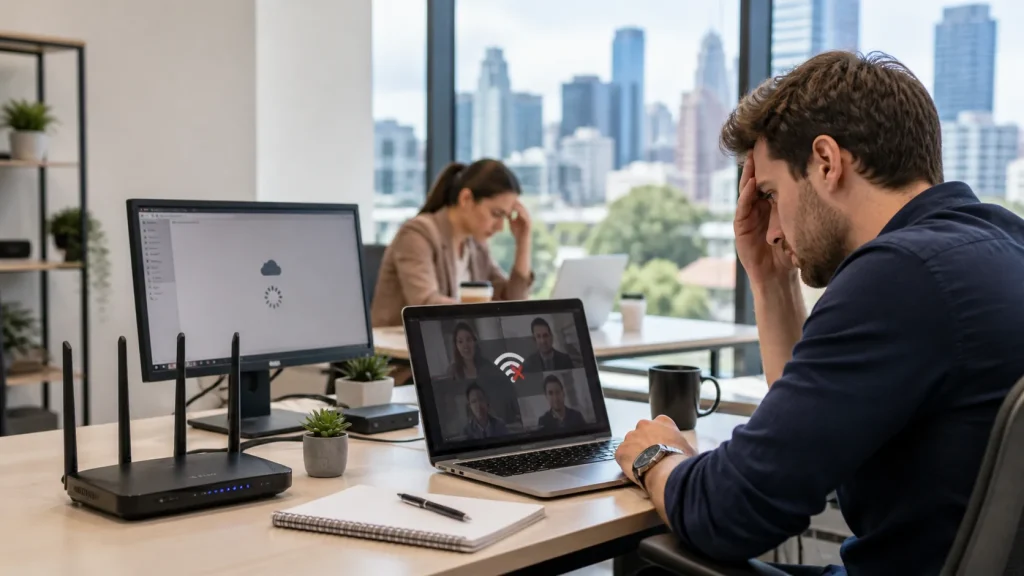

There are few things more frustrating in a modern household than when your internet drops out right in the middle of a crucial Teams meeting, or your Netflix movie starts buffering at the climax. If you find yourself constantly asking, "Why does my internet keep dropping out?", you are not alone.
While it is easy to blame your internet service provider (ISP), the reality is that the root cause is often sitting right inside your home. Fortunately, whether it’s a simple hardware reset or a professional networking upgrade, these connectivity issues are almost always fixable.
Speak with a local Melbourne technician and get clear advice on what is causing your internet dropouts.
Call (03) 5991 7800 Request On-Site SupportIs It Your NBN Connection or Your Wi-Fi? (Knowing the Difference)
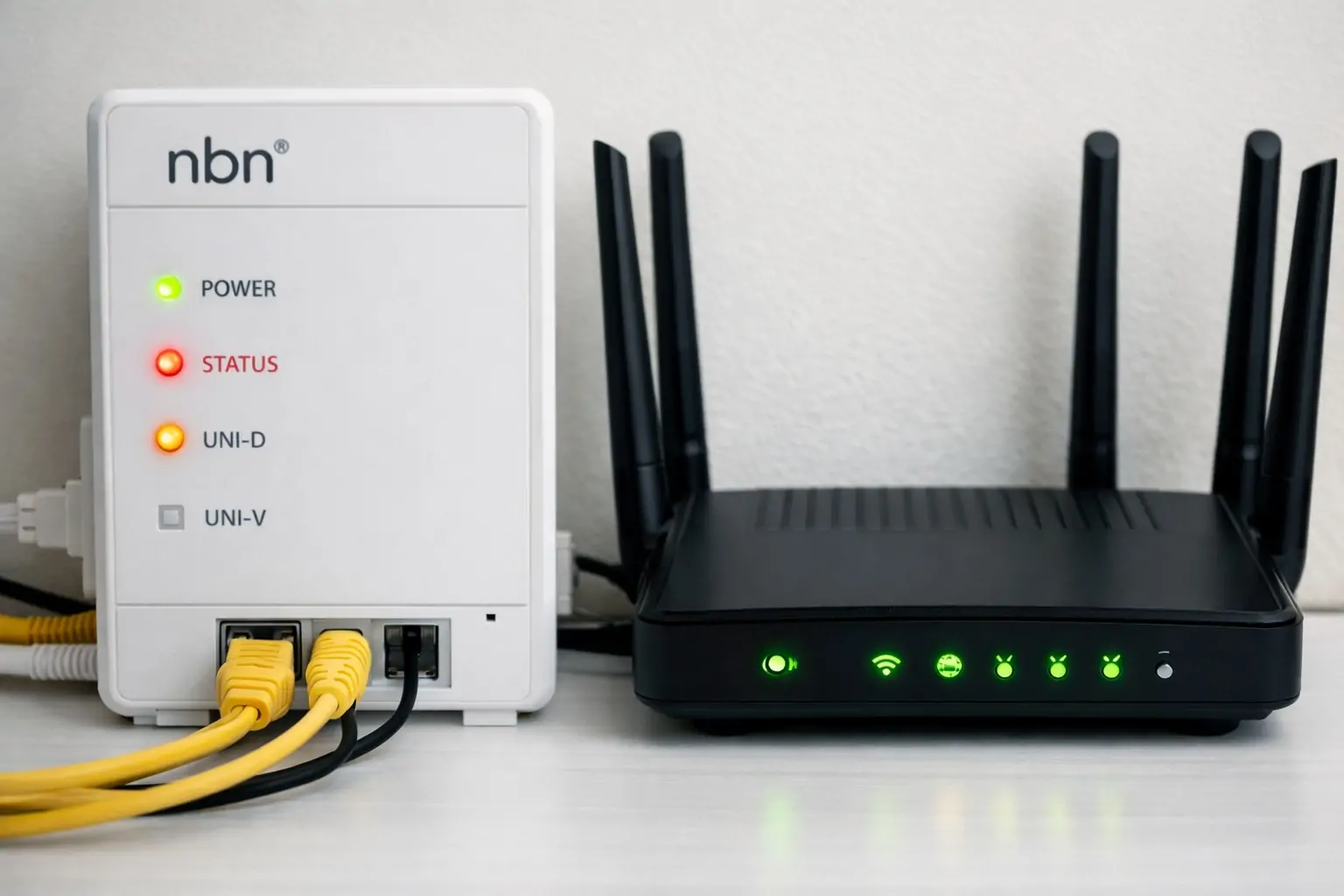
The first step in any technical diagnosis is isolating the problem. When your connection drops, it's either an issue with the NBN network delivering internet to your house, or an issue with your home Wi-Fi router broadcasting that signal to your devices.
If you are not sure where the issue is coming from, our networking and internet setup service can help identify whether the problem is with your in-home equipment, WiFi coverage, or router setup. You can also read our guide on fixing slow WiFi and NBN issues in Melbourne for more practical troubleshooting ideas.
Symptoms of an NBN Fault
If you are experiencing your NBN dropping out, the issue originates before the signal even reaches your devices. Look for these signs:
- The lights on your NBN connection box (NTD) are flashing red or turning off completely.
- Your devices show that they are connected to Wi-Fi with full signal bars, but pages simply won't load.
- Your ISP has listed an active outage in your specific area.
Symptoms of Wi-Fi Issues
If the NBN connection is stable but you still can't get online, you are likely dealing with a local network problem. Signs include:
- Your devices completely disconnect from the Wi-Fi network.
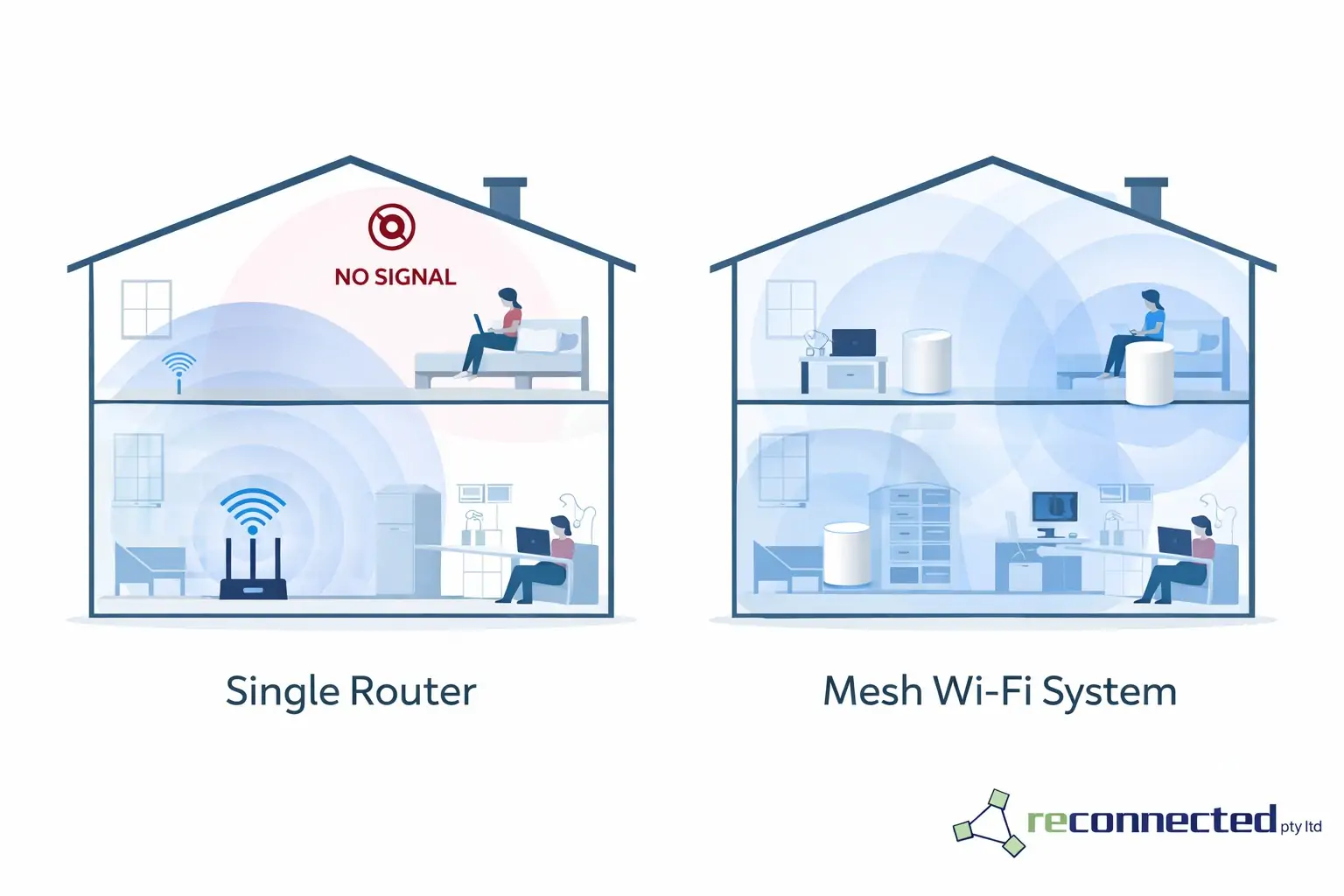
- The internet works perfectly in the same room as the router, but you experience severe dropouts in the back bedrooms or upstairs study.
- You notice your connection dropping when other household appliances (like microwaves) are running, which is a classic sign of Wi-Fi interference.
4 Hidden Culprits Killing Your Home Internet Speed
If your wireless internet keeps dropping out, one of these four common culprits is usually to blame:
- Poor Router Placement: Your router broadcasts in a dome shape. If it is hidden in a metal TV cabinet, shoved under a desk, or placed in the garage, the signal is being blocked before it even starts.
- Physical Interference: Modern Australian homes are filled with materials that destroy Wi-Fi signals. Thick brick walls, large mirrors, metal framing, and even large fish tanks can cause dead zones.
- Device Overload: A standard household today might have laptops, smartphones, smart TVs, gaming consoles, and smart home devices all fighting for bandwidth. Older, single-band routers simply cannot handle this volume of traffic without dropping connections.
- Outdated Hardware: The "free" modem-router combo provided by your ISP is built for basic web browsing, not for a family of heavy streamers and remote workers.
If your hardware is aging or underpowered, it may be worth reading our guide to the best NBN modem and router options in Melbourne. Many homes can also benefit from professional WiFi optimisation and internet setup rather than relying on a basic ISP-supplied device.
The Ultimate Solution for Large Homes: Mesh Wi-Fi
If you have a larger home, a two-story layout, or thick walls, a single standard router will almost never provide complete coverage.
Instead of buying cheap "range extenders" (which often halve your speed and force you to switch networks as you walk around the house), the modern solution is a Mesh Wi-Fi System. A mesh network uses multiple nodes placed around your home that communicate seamlessly with one another. This creates a single, unified blanket of high-speed Wi-Fi, eliminating dead zones entirely.
Upgrading to a mesh system is often the best long-term fix for larger homes, and it is something we can help with through our networking and internet setup service.
Explore our networking services to see how we can blanket your property in fast, reliable internet.
View Networking Services Call (03) 5991 7800Quick DIY NBN Connection & Troubleshooting Steps
Before you call your ISP and wait on hold for an hour, try these quick DIY steps to restore your connection:
- The 30-Second Power Cycle: Turn off both your NBN box and your Wi-Fi router at the wall. Wait a full 30 seconds, then turn the NBN box back on. Once its lights are stable, turn your router back on.
- Isolate the Issue: Plug a laptop directly into your NBN box using an Ethernet cable. If the internet works flawlessly, you know the issue is your Wi-Fi router, not your NBN provider.
- Check for Firmware Updates: Log into your router's admin panel (usually via an IP address like 192.168.1.1) and ensure your router's firmware is up to date.
If these steps do not fix the issue, it may be time for local IT support in Melbourne or a direct onsite support request.
When Is It Time to Call an Internet Technician?
If you have tried the DIY steps and your network is still struggling, it’s time to bring in an expert. ISP call centers can only see the connection up to the outside of your house—they cannot fix internal cabling, diagnose dead zones, or optimize your home office setup.
Searching for an "internet technician near me" ensures you get a local professional who can physically test your environment. At RECONNECTED IT SUPPORT, we deploy expert technicians across Melbourne's South Eastern suburbs. Whether you need a simple router upgrade, complex data cabling, or an enterprise-grade home office setup, we diagnose the actual hardware fault so you can get back to work (or gaming) without interruption.
For broader support beyond just WiFi dropouts, our Melbourne IT support service can help with home office reliability, internet issues, and connected device troubleshooting.
Need immediate help?
If you're based in Melbourne's South East, contact our team today and let’s stop the dropouts for good.
Call (03) 5991 7800 Request On-Site Support