

Internet Keeps Dropping Out at Work? Common Causes for Small Businesses
When the internet keeps dropping out at work, it can quickly interrupt the whole business. Cloud software slows down, Teams or Zoom calls freeze, emails stop sending, printers lose connection, and EFTPOS or POS systems may become unreliable.
For Melbourne small businesses, the cause is not always the internet provider. The issue may be your NBN connection, Wi-Fi coverage, router, cabling, office network setup, connected devices, or cloud systems using too much bandwidth.

Internet dropping out during the workday?
Reconnected helps Melbourne businesses troubleshoot internet, Wi-Fi, router and office network problems so your team can stay connected and productive.
Common Signs Your Business Internet Problem Needs Attention
Occasional internet problems can happen, but repeated dropouts during business hours usually point to something that needs to be checked properly.
- Video calls keep freezing or disconnecting
- Staff regularly say the internet is down
- Cloud software becomes slow or unresponsive
- EFTPOS, POS or payment systems drop connection
- Printers, scanners or shared drives lose connection
- Wi-Fi works in one part of the office but not another
- Some devices stay connected while others keep dropping out
Is It Your Internet Provider or Your Office Network?
One of the first questions to ask is whether the problem is coming from the internet connection itself, or from the office network inside your premises.
An internet provider or NBN issue usually affects the connection coming into the building. An internal network issue may involve your router, Wi-Fi, cabling, network switch, access points, connected devices, or how the system has been configured.
A quick first check is to look at the NBN box lights meaning so you can see whether the connection box is showing a normal status or a possible service fault.
If you are not sure where the problem starts, this related guide explains the difference between NBN dropouts and Wi-Fi problems: Internet Keeps Dropping Out in Melbourne? NBN vs WiFi Fix Guide.
Why Business Internet Keeps Dropping Out
If your internet keeps dropping out at work, there may be more than one cause. A small office can have a good internet plan but still experience dropouts if the router, Wi-Fi or internal network is not suitable for business use.
1. Router overload
A basic modem or router may struggle when too many staff, laptops, phones, printers, cloud apps and video calls are using the network at the same time. This can cause slow speeds, dropouts or unstable Wi-Fi.
2. Weak Wi-Fi coverage
Sometimes the internet connection is fine, but the Wi-Fi signal is weak. Dead zones, thick walls, poor router placement and interference can make staff feel like the internet is dropping out when the real issue is wireless coverage.
3. NBN or internet provider issues
External connection faults, provider outages or NBN line issues can interrupt the service before it reaches your router. If every device loses connection at the same time, the external connection may need to be checked.
4. Network congestion
Cloud backups, file syncing, video meetings, large uploads and multiple devices can use a lot of bandwidth. If this happens during business hours, the office internet may feel slow or unstable.
5. Cabling or switch faults
For offices using wired devices, a faulty cable, wall port or network switch can cause intermittent connection issues. This may affect computers, printers, phones, shared drives or other office equipment.
6. Device or setup issues
Sometimes the problem is not the whole network. A single laptop, printer or workstation may have outdated settings, driver issues, incorrect Wi-Fi configuration or hardware problems.
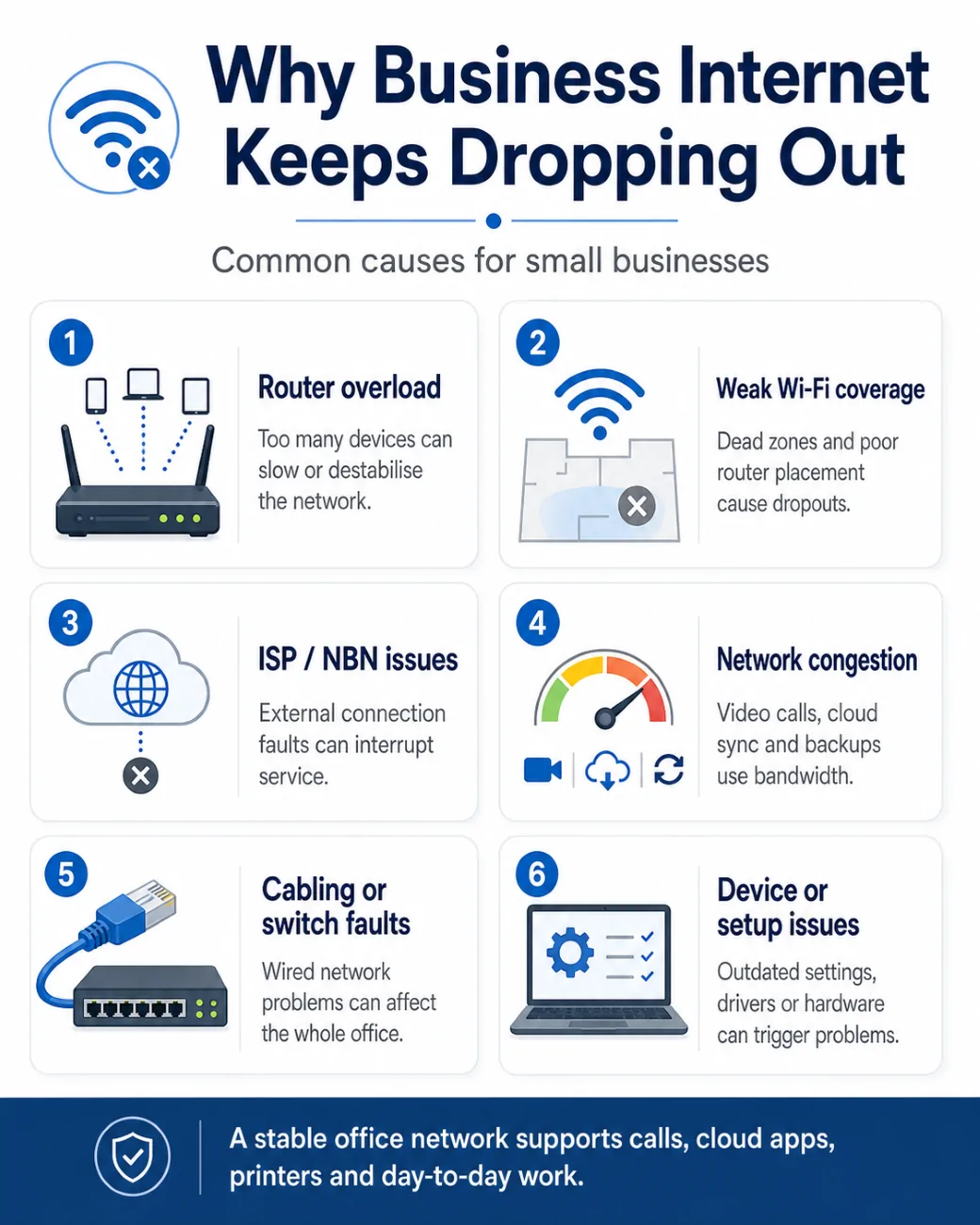
If your office has weak Wi-Fi, poor speeds or unreliable coverage, this guide may also help: Fixing Slow Wi-Fi & NBN Problems in Melbourne Homes & Offices.
Router Problems Can Cause Internet Dropouts
Many small businesses still rely on the default modem or router supplied by their internet provider. That may be enough for basic use, but it may not be reliable for a busy workplace with multiple staff, cloud systems, shared printers and video calls.
A better router, mesh system or business-grade access point setup can often improve coverage and reliability. For more information, read: Best NBN Modem & Router in Melbourne for Homes & Small Businesses.
Quick Troubleshooting Steps Before You Call Support
Before booking support, it helps to gather a few details. This makes it easier to work out whether the issue is internet, Wi-Fi, router, cabling or device related.
- Restart the modem/router and note if the problem returns
- Check whether all devices are affected or only one device
- Test whether a wired device stays connected while Wi-Fi drops out
- Check whether dropouts happen at the same time each day
- Note whether cloud backups, file syncing or large uploads are running
- Check whether the issue happens in one room or across the whole office
- Write down which systems are affected, such as phones, printers, EFTPOS or cloud apps
Need help finding the cause?
If your internet keeps dropping out and you are not sure whether it is the NBN, Wi-Fi, router or office network, Reconnected can help test and troubleshoot the issue.
View Networking & Internet SetupWhen Should a Small Business Call IT Support?
If internet dropouts are affecting staff, customers or business systems, it is worth getting the setup checked properly. Reconnected can help identify whether the issue is caused by your internet connection, router, Wi-Fi coverage, cabling, network switch, devices or software.
For small businesses, this is often more than a simple modem restart. You may need a more reliable network setup, better Wi-Fi coverage, router configuration, device troubleshooting or ongoing IT support.
Reconnected also supports related business IT needs, including cloud solutions, data backup and recovery, and cybersecurity services.
Final Thoughts
If your internet keeps dropping out at work, the cause may be external, internal, or a combination of both. The key is to check the problem properly instead of assuming it is only your internet provider.
A stable office network helps keep your team connected to email, cloud systems, video calls, printers, customer systems and day-to-day work. For many small businesses, improving the router, Wi-Fi coverage or network setup can make a noticeable difference.