

If you’re comparing Google Workspace vs Microsoft 365, you’re probably trying to answer a practical question:
Which platform will work best for the way our home, office, or small business actually uses email, files, and devices every day?
For many homes and small businesses across Melbourne and Victoria, this decision affects much more than email. It can shape how your team stores files, shares documents, secures accounts, and collaborates day to day.
Choose the wrong platform — or set it up badly — and you can end up with messy file storage, syncing issues, security gaps, frustrated users, and wasted time.
In this guide, we’ll break down the real-world differences between Google Workspace and Microsoft 365, explain which setup tends to suit different users best, and show how Reconnected helps homes and small businesses across Melbourne and wider Victoria choose, set up, secure, and support the right cloud platform.
Need help choosing the right cloud platform?
Reconnected helps Melbourne homes and small businesses choose between Google Workspace and Microsoft 365, then set it up properly from day one.

Quick Answer: Which One Should You Choose?
There is no single best option for everyone. The right choice depends on how you work, what devices you use, how your files are shared, and how much structure or security your setup needs.
Choose Google Workspace if:
- You already use Gmail and Google Drive daily
- You want simple, browser-based collaboration
- Your team needs easy file sharing with minimal setup
- You prefer a lighter, less complex admin experience
Choose Microsoft 365 if:
- You rely on Outlook, Word, Excel, and other Office apps
- You want structured team file storage with permissions
- Your business needs stronger security and admin controls
- You mostly use Windows laptops and desktops
If you are still unsure, the next sections break down where each platform performs well — and where businesses often run into trouble.
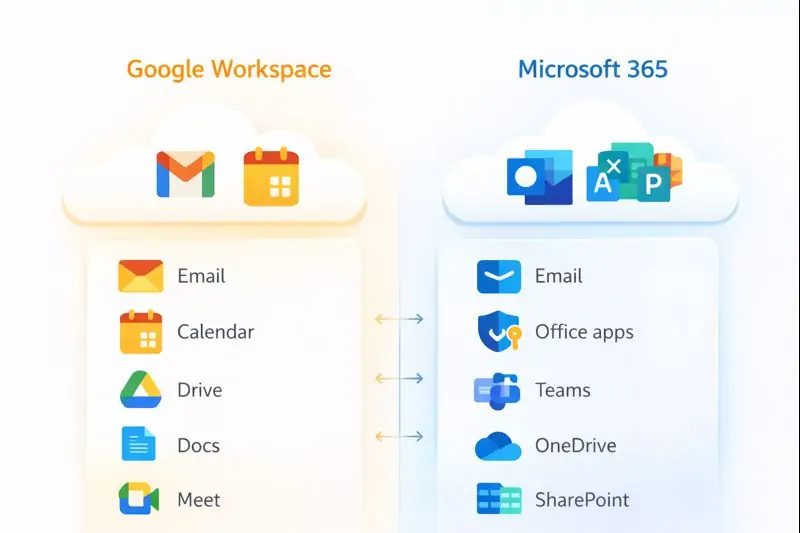
Email & Calendar: Gmail vs Outlook
Email is usually the first thing people compare, but it should not be the only deciding factor.
Google Workspace (Gmail)
- Clean and fast interface
- Excellent search and spam filtering
- Works smoothly in a web browser
- Easy to access across different devices
Microsoft 365 (Outlook & Exchange)
- Strong calendar and scheduling features
- Shared mailboxes like accounts@, sales@, and bookings@
- Deep integration with desktop Office apps
- Well suited to more structured business environments
Common mistake: choosing a platform based on email alone, then discovering the real problems start with file storage, permissions, and staff access.
File Storage & Sharing: Where Most Problems Start
This is where many small businesses start to feel the difference between the two platforms.
Google Drive (Google Workspace)
- Excellent for real-time collaboration
- Simple sharing for internal and external users
- Great for teams working heavily in Docs and Sheets
Watch out: without clear rules, Google Drive can become messy quickly. Sensitive files may be overshared, folder structures become inconsistent, and no one is sure what lives where.
OneDrive & SharePoint (Microsoft 365)
The simple version is:
- OneDrive = personal work files
- SharePoint = team and company files
This structure works very well when set up correctly, but can frustrate teams if files end up scattered across personal folders or if permissions are not planned properly.
If you want your cloud file system planned properly from day one, Reconnected can help through our Cloud Solutions service.
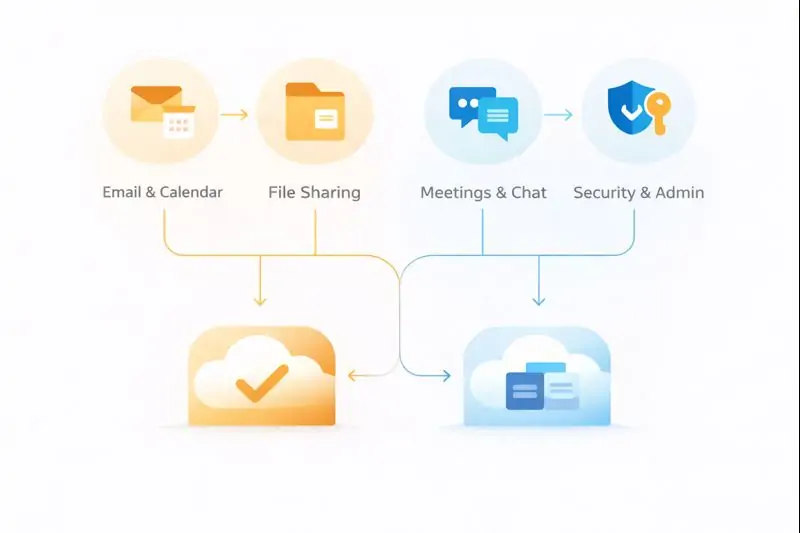
Meetings, Chat & Collaboration
Google Meet & Chat
- Simple meeting setup
- Strong Google Calendar integration
- Ideal for lightweight collaboration
Microsoft Teams
- Chat, meetings, and files in one place
- Well suited to ongoing team collaboration
- Works best when file storage is structured properly
If your business is growing, the better platform is often the one that matches how your team already works — not necessarily the one with the longest feature list.
Already chosen a platform but not sure how to set it up properly?
Reconnected helps with secure setup, migrations, file structure planning, and ongoing support for Google Workspace and Microsoft 365.
Security: The Non-Negotiables
Both platforms can be secure — or insecure — depending on how they are configured.
At a minimum, we recommend:
- Multi-factor authentication (MFA) for all users
- Controlled sharing rules
- Device security such as updates, antivirus, and encryption
- Clear admin roles and permissions
We often see businesses using powerful cloud tools with basic security features turned off. Reconnected can help review and harden your setup through our Cybersecurity Services.
Is Google Workspace or Microsoft 365 a Backup?
No — and this is a critical point.
Cloud platforms help with availability, but they do not fully protect you from:
- Accidental deletion
- Ransomware syncing encrypted files
- Disgruntled ex-staff deleting data
- Retention limitations
If your business data matters, you still need a proper backup strategy. Reconnected helps businesses protect cloud data through Backup & Recovery solutions.
Which Platform Is Best for Your Situation?
Home users
Google Workspace often feels simpler, but Microsoft 365 may suit households already using Office apps.
Solo operators & tradies
Both can work well. The choice often comes down to Gmail vs Outlook, plus whether file sharing and admin controls are likely to matter later.
Small offices (3–15 staff)
Microsoft 365 often suits structured file access and permissions, while Google Workspace works well for highly collaborative teams.
Growing teams (10–30 staff)
Planning becomes critical at this stage. Either platform can work — but only if it is set up properly from the beginning.
How Reconnected Helps Across Melbourne & Victoria
Based in Cranbourne, Reconnected supports homes and small businesses across Melbourne and regional Victoria with:
- Google Workspace & Microsoft 365 setup
- Email migration and domain configuration
- Secure file structure and permissions
- MFA and security hardening
- Ongoing IT support and cloud management
If cloud issues are part of a bigger IT problem, we can also assist with IT support, networking & internet setup, and computer repairs.
FAQs – Google Workspace vs Microsoft 365
Is Microsoft 365 better than Google Workspace for small business?
Not always. Microsoft 365 suits structured environments, while Google Workspace is often better for simple collaboration and lighter admin.
Can you migrate from one platform to the other?
Yes. Reconnected handles cloud migrations, email setup, and file movement with minimal disruption.
Do you support businesses outside Melbourne?
Yes — we support clients across Victoria with remote cloud setup and support.
Need cloud setup, migration, or ongoing support?
Whether you are choosing between Google Workspace and Microsoft 365, migrating from one platform to another, or tightening security and backups, Reconnected can help you get it right.