
Managed IT Services vs Ad-Hoc Support: What’s Best for Melbourne Small Businesses?

Running a small business in Melbourne means you’re constantly juggling customers, staff, cash flow… and somewhere in the middle of all that, your IT setup.

When everything’s working — email, Wi-Fi, EFTPOS, cloud apps — it’s easy to forget about IT. But when something breaks, it can bring your day (or week) to a halt.

Most businesses in Melbourne fall into one of two camps:

  • Ad-hoc / break-fix IT support – you call someone when something goes wrong
  • Managed IT services – you pay a set monthly fee for ongoing, proactive IT support

So which model actually works best for your business? This guide walks through the differences between managed IT services and ad-hoc support, what each looks like in the real world, and how to decide what’s right for your Melbourne small business.

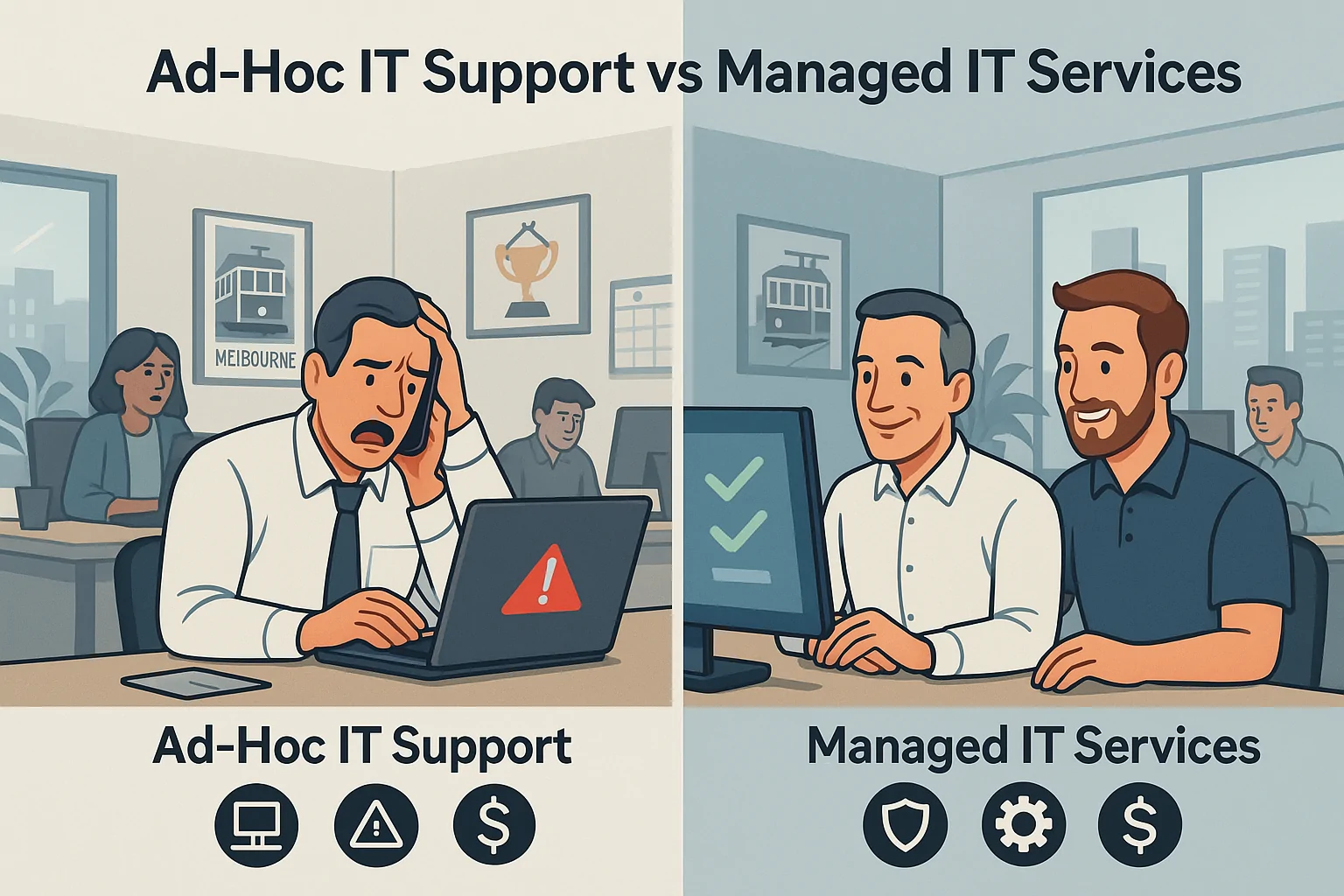
Ad-hoc IT support versus managed IT services shown as a split Melbourne office, with a stressed owner on one side and a calm team on the other.
Ad-hoc IT support is reactive and stressful — managed IT services keep your Melbourne office running smoothly.

What Is Ad-Hoc (Break-Fix) IT Support?

Ad-hoc (or “break-fix”) IT support is the traditional model many businesses start with.

You don’t have a regular IT provider or agreement. Instead, you:

  • Call a technician when something stops working
  • Pay per visit or per hour
  • Hope it doesn’t happen again anytime soon

Typical examples might include:

  • Calling someone when the server or main PC crashes
  • Booking a tech when your NBN or Wi-Fi drops out and won’t come back
  • Getting one-off help for email issues, printer problems, or a virus infection

Pros of Ad-Hoc IT Support

Ad-hoc support can make sense in a few situations:

  • No ongoing fees – you only pay when you need help.
  • Simple setups – if you’re a very small operation with one or two devices, you may not feel much pain… yet.
  • Short-term stopgap – it’s a way to get fast help before you’ve had time to think about a longer-term IT plan.

Cons of Ad-Hoc IT Support

The downsides are what most business owners eventually bump into:

  • Unpredictable costs – you never know when the next issue will hit or how big the invoice will be.
  • Longer downtime – problems are only dealt with after they’ve caused disruption.
  • No proactive maintenance – updates, security and backups are often neglected until something goes wrong.
  • No IT roadmap – IT becomes a series of urgent fires, not part of your business strategy.

For fast one-off help, you can still use Reconnected’s IT Support – Onsite & Remote Tech Help .

What Are Managed IT Services for Small Businesses?

Managed IT services flip the model on its head.

Instead of waiting for things to break, you pay a predictable monthly fee for ongoing support, maintenance, and monitoring. Think of it like having your own part-time IT department, without needing to hire full-time staff.

A typical managed IT services plan for a Melbourne small business might include:

  • Unlimited remote support for day-to-day issues
  • Onsite visits for bigger problems or projects
  • Monitoring and patching of key devices and servers
  • Backup setup and monitoring so you’re not relying on “set and forget”
  • Cybersecurity essentials – antivirus, MFA, email filtering, security policies
  • Microsoft 365 and cloud support – email, Teams, OneDrive, SharePoint
  • Regular reviews so you know where your IT stands and what’s coming next

From our base in Cranbourne, Reconnected provides managed IT services to small and medium businesses across Melbourne, helping them stay secure, productive and prepared.

Managed IT vs Ad-Hoc Support: Key Differences at a Glance

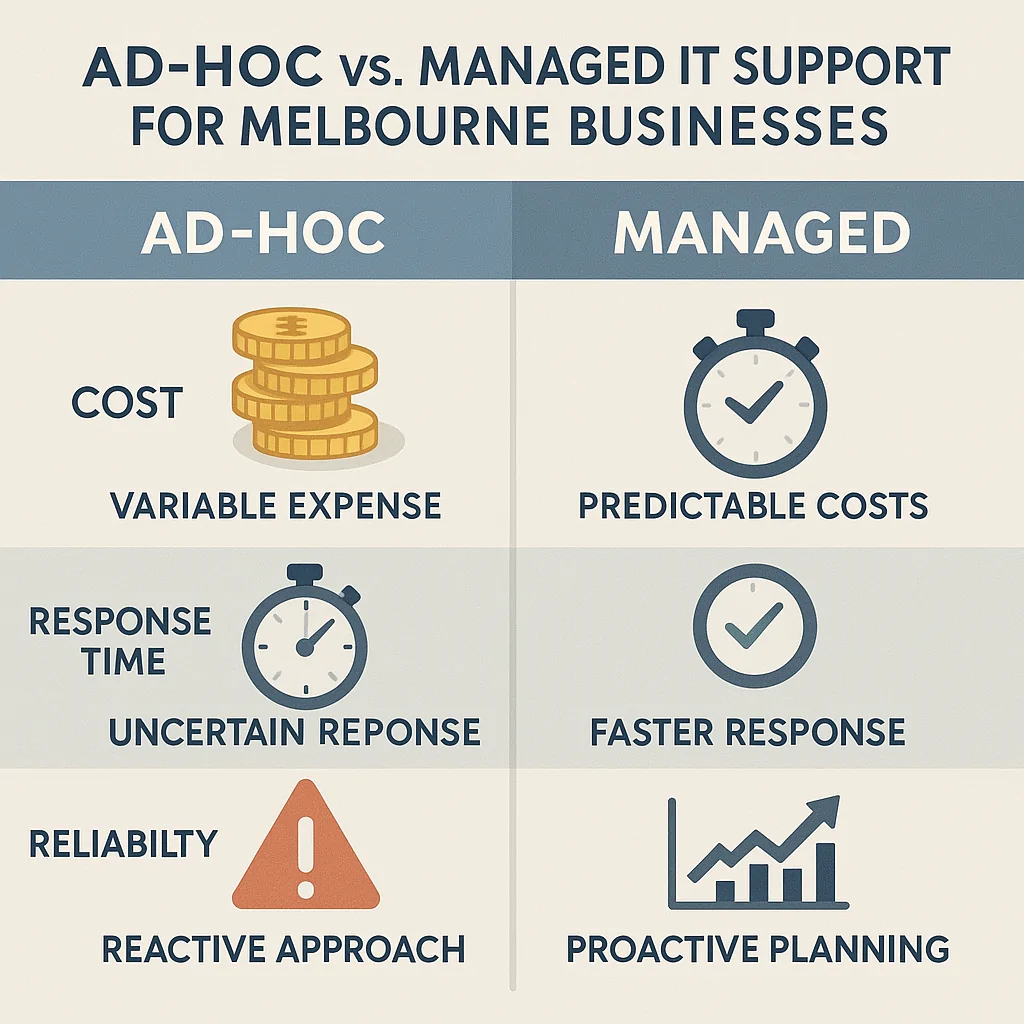
Infographic comparing ad-hoc IT support and managed IT support for Melbourne businesses by cost, response time, reliability and long-term benefit.
Ad-hoc IT support is reactive and unpredictable; managed IT services offer predictable costs and better reliability.

Here’s how the two approaches stack up when you look at them side by side.

Cost & Budgeting

Ad-hoc IT support:

  • You only pay when something goes wrong.
  • Bills can be small and infrequent… or suddenly very large.
  • Hard to budget, especially if you have one big outage in a busy period.

Managed IT services:

  • Predictable monthly fee.
  • Easier to forecast and build into your budget.
  • Helps avoid big, surprise costs from major failures.
  • Often works out cheaper overall once you factor in downtime and lost staff productivity.

Downtime & Productivity

Ad-hoc:

  • You notice something is broken.
  • Staff can’t work properly or at all.
  • You call for help and wait for a technician.
  • Every hour of downtime costs staff time and lost revenue.

Managed:

  • Systems are monitored and maintained.
  • Many issues are fixed before staff even report them.
  • Your IT provider already understands your setup.
  • Less scrambling, more predictable response and faster resolution.

Cybersecurity & Risk

Ad-hoc:

  • Security is often basic or outdated.
  • Updates, patches and security tools might not be consistently applied.
  • Problems like ransomware or phishing attacks are dealt with after the damage.

Managed:

  • Antivirus, updates, MFA and email security are part of your normal service.
  • Regular checks reduce the chance of a serious breach.
  • Staff can be trained to spot scams and risky behaviour.
  • You’re less likely to lose data, reputation or days of productivity.

For an independent overview of essential cyber security practices, see the Australian Cyber Security Centre’s Small Business Cyber Security Guide .

Strategy & Growth

Ad-hoc:

  • IT is mostly about putting out fires.
  • No long-term planning – upgrades are rushed and reactive.
  • Hard to know if your current setup will handle growth, extra staff or new locations.

Managed:

  • Your provider understands your business and how you work.
  • You get guidance on when to repair, upgrade or replace.
  • IT becomes a tool to support growth, not a hurdle in the way.
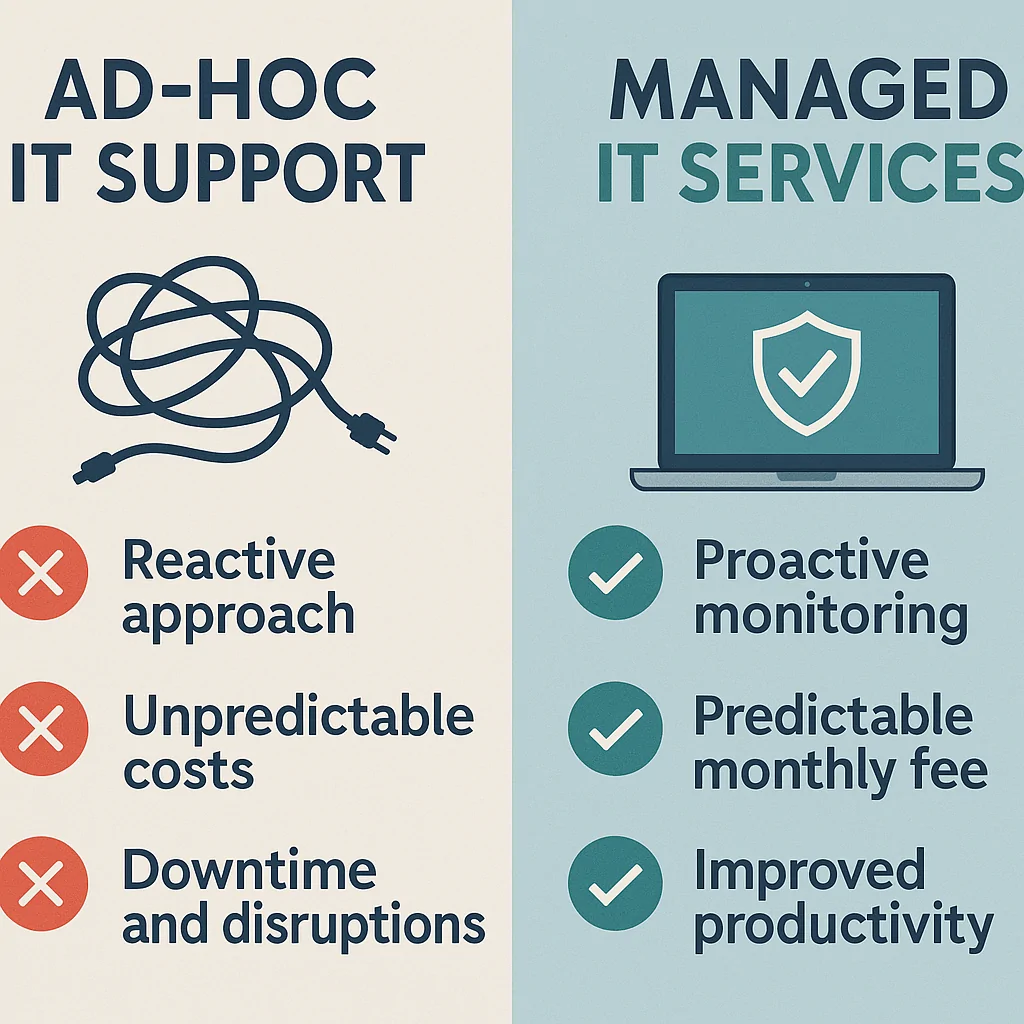
Ad-hoc IT support shown with a tangled cord and negatives, compared to managed IT services with a secure laptop and checklist of proactive benefits.
Managed IT services focus on proactive monitoring, predictable fees and better productivity for Melbourne businesses.

Which IT Support Model Fits Your Melbourne Business?

There’s no one-size-fits-all answer, but there are clear patterns.

When Ad-Hoc IT Support Can Still Work

Ad-hoc support may still be suitable if:

  • You’re a very small business or solo operator.
  • You have simple needs – maybe a laptop and a cloud accounting system.
  • You can tolerate the occasional outage without major impact.
  • Your budget is extremely tight and you’re just getting started.

Even then, it’s smart to have at least basic backups and security in place.

When Managed IT Services Make More Sense

Managed IT services are usually a better fit if:

  • You have 5 or more staff relying on shared systems and cloud tools.
  • Your business would be heavily impacted by downtime (medical, legal, trades, professional services, retail, hospitality, etc.).
  • You store important customer or business data (client records, designs, financials).
  • You’re concerned about cybersecurity, compliance, or data loss.
  • You’ve grown to the point where DIY IT is slowing you down.

If losing access to your systems for half a day would cause serious pain, managed IT is almost always the smarter choice.

Signs You’ve Outgrown Ad-Hoc IT Support

If any of these sound familiar, it’s a red flag:

  • You’re calling an IT person multiple times a year.
  • Staff constantly complain about slow computers, Wi-Fi drops or email issues.
  • Backups “must be working”… but nobody’s actually tested a restore.
  • Cybersecurity is mostly “we’ve got antivirus, I think”.
  • You (the business owner) are still the main IT contact, Googling fixes at night.
  • You feel like IT is holding the business back instead of supporting it.

These issues often show up as the tech problems covered in our related article: 7 Tech Problems Melbourne Businesses Can’t Ignore .

What’s Typically Included in a Managed IT Plan with Reconnected

Every business is different, but a typical managed IT partnership with Reconnected might include:

  • Unlimited remote support for everyday questions and issues.
  • Onsite visits for complex problems or hardware work.
  • Proactive monitoring of key systems, so we can act before things break.
  • Patch management and updates for operating systems and key software.
  • Backup setup and monitoring, plus regular test restores.
  • Cybersecurity basics, such as antivirus, MFA, secure email and staff awareness.
  • Microsoft 365 support, including email, Teams, OneDrive and SharePoint.
  • Networking and Wi-Fi support for reliable internet and internal connectivity.
  • Regular IT reviews – clear, non-technical updates on how things are tracking.

We tie this together with other core services like:

The goal is simple: keep your business running smoothly, protect your data, and give you one friendly, local team to call when you need help.

Cost Comparison: Managed IT vs Paying Per Issue

Let’s look at a simple example.

Imagine a 10-person Melbourne business that relies on:

  • Cloud accounting and business apps
  • Email and Microsoft 365
  • NBN and Wi-Fi
  • EFTPOS or POS systems

On ad-hoc IT support, they might experience:

  • A major email issue once a year
  • A couple of Wi-Fi or network problems
  • At least one serious computer failure
  • Several smaller “nuisance” issues

Each incident means callout fees, hourly rates, staff unable to work and the owner or manager stuck coordinating IT instead of focusing on the business. The true cost isn’t just the technician’s invoice – it’s the lost productivity on top.

On a managed IT plan, the same business would:

  • Pay a predictable monthly fee.
  • Have updates, backups and security continuously managed.
  • See problems caught earlier through monitoring.
  • Experience less downtime and fewer crises.

For many businesses, the reduced disruption and stress more than pays for the monthly fee.

Frequently Asked Questions from Melbourne Business Owners

Can we start with ad-hoc support and move to managed IT later?

Yes. Many businesses begin with ad-hoc support, then switch to managed services once they see how often they need help or after a major incident. Reconnected can help you plan that transition when the time is right.

What if we already have a part-time IT person?

We often co-manage environments with internal IT staff. Your internal person can focus on day-to-day or in-house tools, while we handle monitoring, projects, specialised tasks and overflow.

Are we locked into a long contract?

We prefer clear, simple agreements that are easy to understand. We’ll walk you through terms upfront so you know exactly what you’re getting and for how long.

Can you support both remote and onsite?

Yes. From our Cranbourne base, we provide remote support across Melbourne and can come onsite when needed for hardware issues, network work or more hands-on jobs.

How Reconnected Helps Melbourne Businesses Choose the Right Model

Not every business is ready for a full managed IT service, and that’s okay.

When you reach out to Reconnected, we’ll typically:

  1. Have a quick chat about your business, your staff and the systems you rely on.
  2. Complete an IT health check or review to identify risks, gaps and opportunities.
  3. Present clear options, which might include staying on ad-hoc support for now, moving to a managed IT plan, or a hybrid approach while you grow.

No jargon. No pressure. Just practical advice based on how you work and what you need.

Not Sure Which Option Is Right for Your Business?

If you’re unsure whether to stick with ad-hoc IT support or move to a managed IT service, that’s usually a sign it’s worth talking it through.

Need help deciding?

Reach out to Reconnected for fast, friendly IT support across Melbourne. Visit https://reconnected.com.au, call (03) 5991 7800, or send an enquiry through our Contact page to book a chat or an onsite visit.

Scroll to Top