

If you’re trying to decide between Google Workspace vs Microsoft 365, you’re not alone.
For many homes and small businesses across Melbourne and Victoria, the question usually comes down to one thing:
“Which one will actually work better for the way we use email, files and devices every day?”
Both platforms are powerful cloud tools – but they work quite differently. Choosing the wrong one (or setting it up poorly) often leads to messy file storage, security gaps, syncing problems and frustrated users.
In this guide, we’ll explain the real-world differences between Google Workspace and Microsoft 365, who each platform suits best, and how Reconnected helps homes and small businesses across Melbourne and wider Victoria choose, set up and support the right cloud solution.

Quick Answer: Which One Should You Choose?
Choose Google Workspace if:
- You already use Gmail and Google Drive daily
- You want simple, browser-based collaboration
- Your team needs easy file sharing with minimal setup
- You prefer a lighter, less complex admin experience
Choose Microsoft 365 if:
- You rely on Outlook, Word, Excel and other Office apps
- You want structured team file storage with permissions
- Your business needs stronger security and admin controls
- You’re mostly using Windows laptops and desktops
If you’re still unsure, the next sections break it down in more detail.
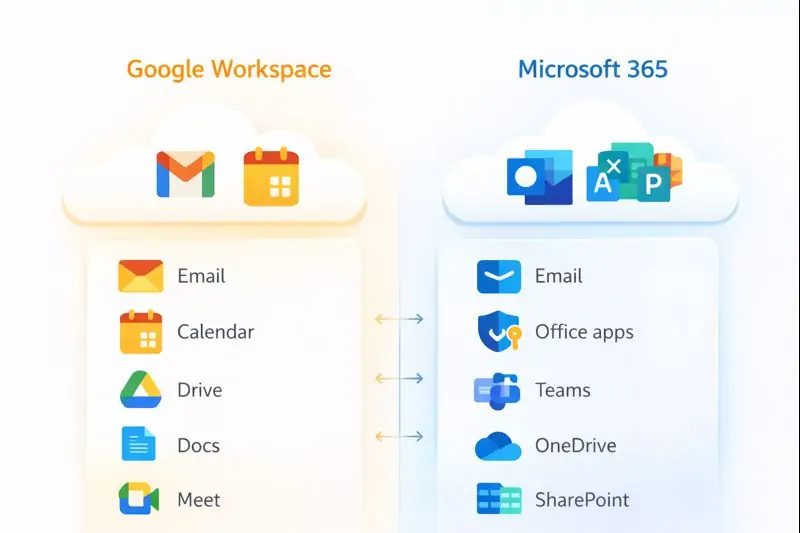
Email & Calendar: Gmail vs Outlook
Email is usually the first thing people think about – but it shouldn’t be the only deciding factor.
Google Workspace (Gmail)
- Clean, fast interface
- Excellent search and spam filtering
- Works seamlessly in a web browser
- Easy to access from any device
Microsoft 365 (Outlook & Exchange)
- Powerful calendar and scheduling features
- Shared mailboxes (accounts@, sales@, bookings@)
- Deep integration with desktop Office apps
- Well suited to more structured business environments
Common mistake we see: choosing a platform based on email alone, then struggling later with file storage and permissions.
File Storage & Sharing: Where Most Problems Start
This is where many businesses run into trouble – especially as they grow.
Google Drive (Google Workspace)
- Excellent for real-time collaboration
- Simple sharing for internal and external users
- Great for teams working heavily in Docs and Sheets
Watch out: without clear rules, sharing can become messy and sensitive files can be exposed.
OneDrive & SharePoint (Microsoft 365)
The simple explanation:
- OneDrive = personal work files
- SharePoint = team and company files
This structure works extremely well when set up correctly – but causes frustration if everything ends up scattered across personal folders.
If you want this planned properly from day one, Reconnected helps with secure cloud setup and file structure via our Cloud Solutions service.
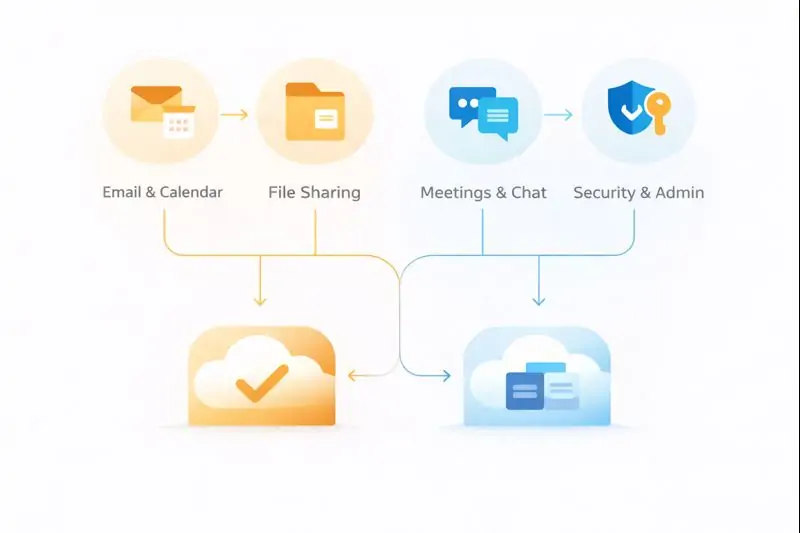
Meetings, Chat & Collaboration
Google Meet & Chat
- Simple meeting setup
- Strong Google Calendar integration
- Ideal for lightweight collaboration
Microsoft Teams
- Chat, meetings and files in one place
- Well suited to ongoing team collaboration
- Works best when file storage is set up correctly
Security: The Non-Negotiables
Both platforms can be secure – or insecure – depending on how they’re configured.
At a minimum, we recommend:
- Multi-factor authentication (MFA) for all users
- Controlled sharing rules
- Device security (updates, antivirus, encryption)
- Clear admin roles and permissions
We often see businesses using powerful tools with basic security features turned off. Reconnected can help review and harden your setup through our Cybersecurity Services.
Is Google Workspace or Microsoft 365 a Backup?
No – and this is a critical point.
Cloud platforms protect availability, but they don’t fully protect you from:
- Accidental deletion
- Ransomware syncing encrypted files
- Disgruntled ex-staff deleting data
- Retention limits
If your data matters, you still need a proper backup strategy. Reconnected helps businesses protect cloud data through Backup & Recovery solutions.
Which Platform Is Best for You?
Home users
Google Workspace often feels simpler, but Microsoft 365 may suit households already using Office apps.
Solo operators & tradies
Both work well – the decision usually comes down to Gmail vs Outlook.
Small offices (3–15 staff)
Microsoft 365 often wins for structured file access and permissions, while Google Workspace suits highly collaborative teams.
Growing teams (10–30 staff)
Planning becomes critical here. Either platform can work – but only with the right setup.
How Reconnected Helps Across Melbourne & Victoria
Based in Cranbourne, Reconnected supports homes and small businesses across Melbourne and regional Victoria with:
- Google Workspace & Microsoft 365 setup
- Email migration and domain configuration
- Secure file structure and permissions
- MFA and security hardening
- Ongoing IT support and cloud management
If cloud issues are part of a bigger IT problem, we can also assist with IT support, networking & internet setup, and computer repairs.
FAQs – Google Workspace vs Microsoft 365
Is Microsoft 365 better than Google Workspace for small business?
Not always. Microsoft 365 suits structured environments, while Google Workspace excels at simple collaboration.
Can you migrate from one platform to the other?
Yes. Reconnected handles safe email and file migrations with minimal downtime.
Do you support businesses outside Melbourne?
Yes – we support clients across Victoria with remote cloud setup and support.
Serving Melbourne and Victoria with secure cloud setup, migration and support for homes and small businesses.
Cloud Setup & Support for Melbourne & Victoria
From choosing the right platform to secure setup, migration and long-term protection, Reconnected helps homes and small businesses across Melbourne and Victoria get cloud services right.
Still deciding between Google Workspace and Microsoft 365?
Talk it through with a local technician and get a clear recommendation.
Call (03) 5991 7800
Already chosen your platform?
Get it set up properly from day one with minimal disruption.
Request Cloud Setup Help
Want ongoing support and protection?
Combine cloud setup with
cloud solutions,
backup & recovery,
cybersecurity and
managed IT services.
View Cloud Solutions